AI Music Generators: Suno vs Udio Which One Is Better?
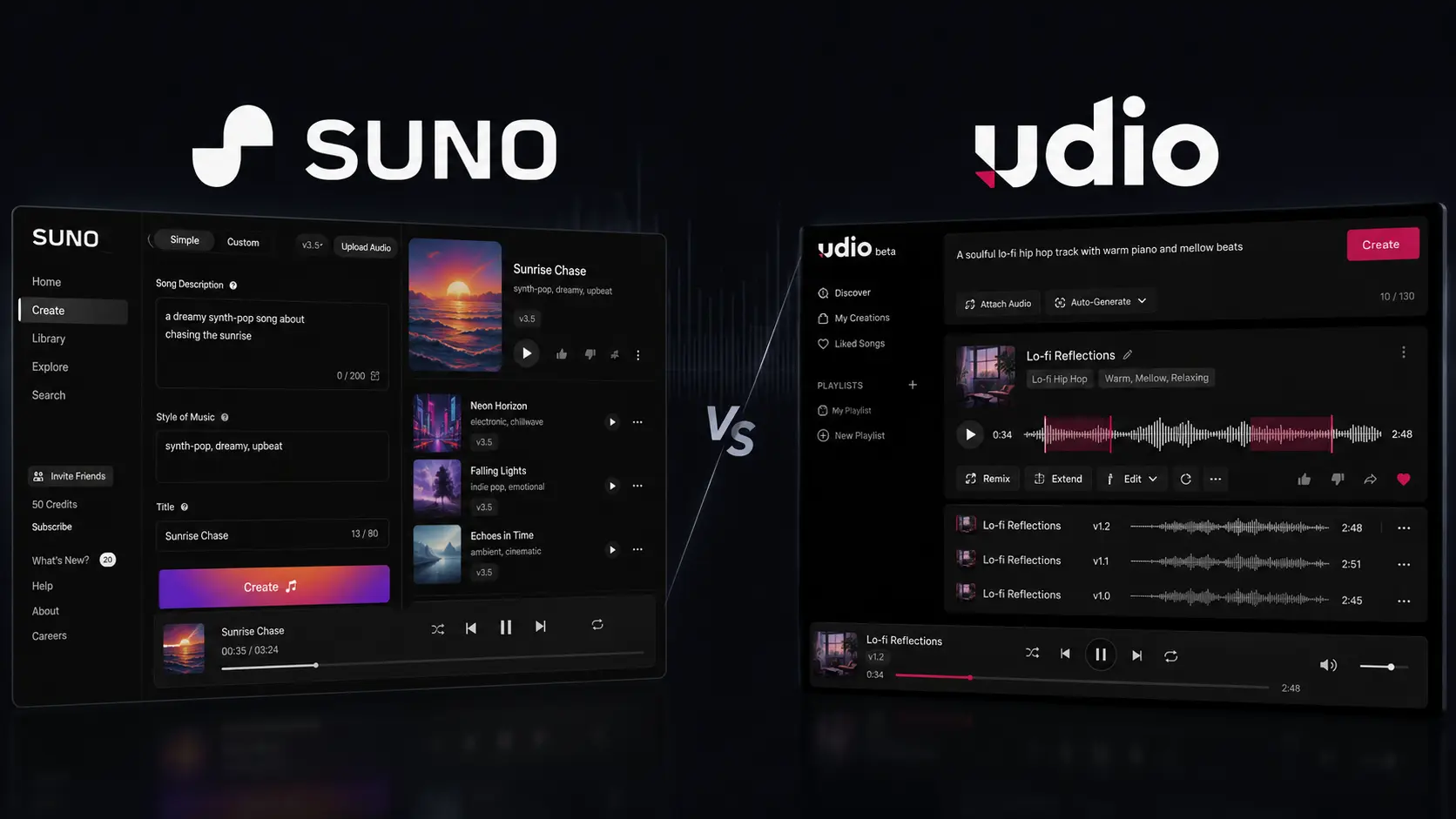
Creating a song used to mean dealing with lyrics, melodies, instruments, vocals, recording software, and plenty of trial and error. If you only have a simple idea in your head, turning it into something listenable can take hours. That is why AI Music Generators have become useful for creators who want to move from an idea to a musical draft much faster. Two of the most talked-about platforms are Suno and Udio. Both can generate music from text prompts, but they feel different once you start experimenting. Suno is particularly strong when you want a complete song quickly, while Udio is more interesting if you like generating variations and refining musical ideas. So, which one should you choose? Let’s compare Suno and Udio based on workflow, creative control, pricing, features, and practical use cases.
How We Evaluate AI Music Generators
We looked at Suno and Udio from the perspective of someone who actually needs to create usable music rather than simply test an impressive demo. The evaluation focuses on common workflows for musicians, YouTubers, marketers, producers, and beginners.
We compared both platforms using these criteria:
- Song quality: vocals, instrumentation, arrangement, and overall listening experience.
- Prompt accuracy: how closely generated music follows your genre, mood, lyrics, and instructions.
- Creative control: how much influence you have over the direction of a song.
- Editing: whether you can improve an existing generation instead of starting again.
- Ease of use: how quickly you can understand the creation process.
- Pricing and limits: free credits, paid plans, downloads, and commercial-use considerations.
The goal isn’t to declare a universal winner. Music is subjective, and a platform that works beautifully for a pop songwriter may not be the best option for someone creating instrumental background music.
AI Music Generators at a Glance
| Tool | Best For | Starting Price |
| Suno | Fast full-song creation | Free |
| Udio | Experimentation and musical variations | Free |
Best AI Music Generator for Fast Full-Song Creation: Suno
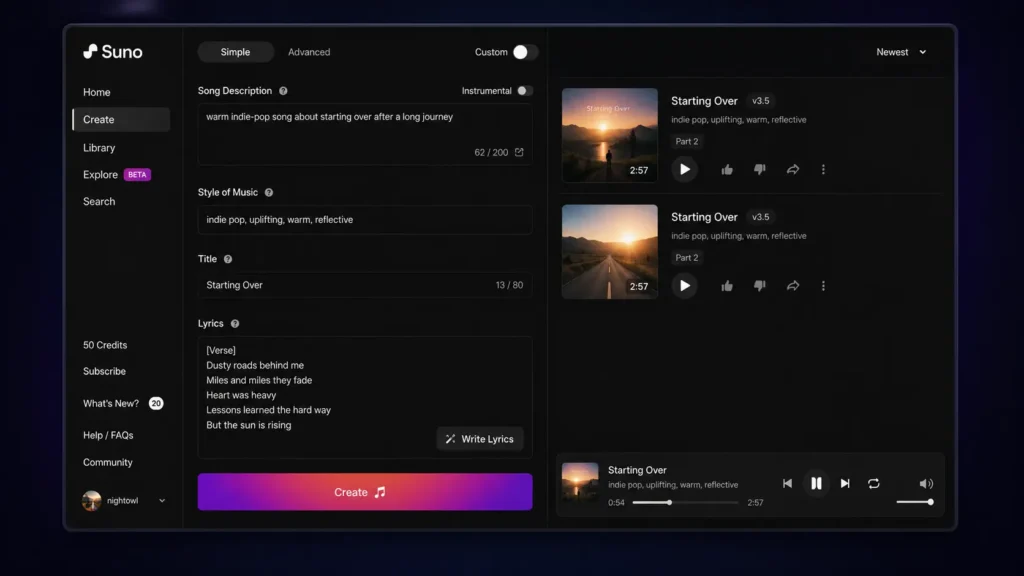
Suno is probably the first platform you should try if you want the shortest route from an idea to a recognizable song.
The workflow is intentionally simple. You can describe the style, subject, mood, and other musical characteristics, then generate a track without having to understand a traditional digital audio workstation. That makes Suno especially useful when you’re a YouTuber who needs music for a video, a marketer developing a campaign concept, or a songwriter looking for a quick demo.
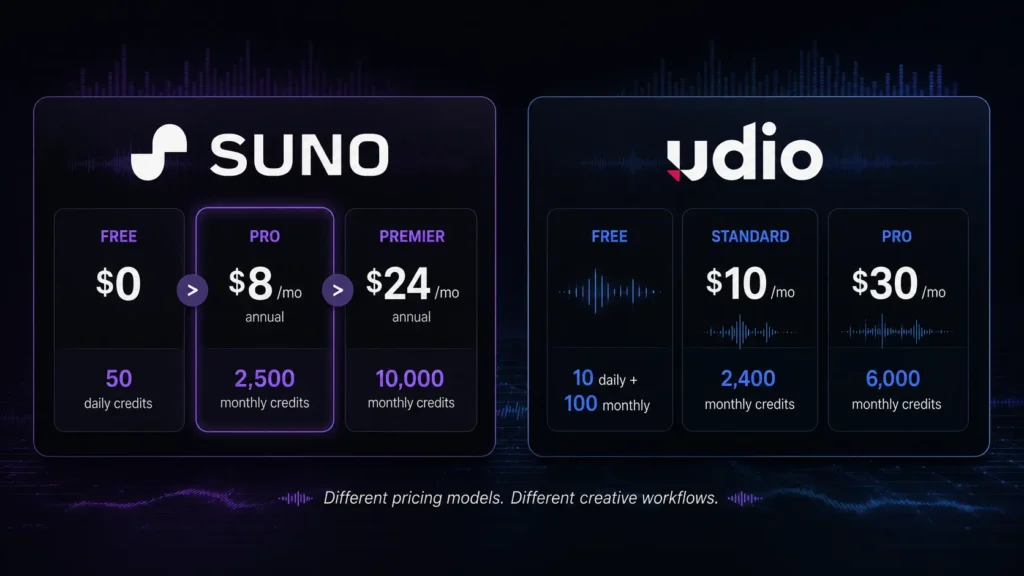
One practical detail is its credit system. Suno’s current Free plan provides 50 credits that renew daily, which the company describes as enough for up to 10 songs. The Free plan also gives access to the v4.5-all model.
For creators researching AI song generators, Suno’s advantage is the complete-song workflow. You aren’t simply getting a short musical loop and being told to finish the rest yourself.
The paid tiers become more interesting when you need production features. Pro and Premier provide access to advanced models, editing tools, stem separation, longer audio uploads, and commercial-use rights for new songs made under the paid plans.
If you’re researching other AI music creation tools, you may also want to compare how different AI platforms handle generation, editing, and publishing workflows.
Pros
- Very approachable for beginners and fast song creation.
- Paid plans add advanced editing, stem separation, audio uploads, and commercial-use rights.
Cons
- Free creations cannot be used commercially.
- Free-plan download restrictions are important if you plan to export lots of tracks.
Pricing: Suno’s official pricing lists Free at $0/month, Pro at $8/month when billed annually, and Premier at $24/month when billed annually. Pro includes 2,500 monthly credits, while Premier includes 10,000 monthly credits. Suno says annual plans save 20%. For comparison, you can also review pricing information across other AI tools to see how different AI platforms structure their free and paid plans.
Best AI Music Generator for Experimentation: Udio
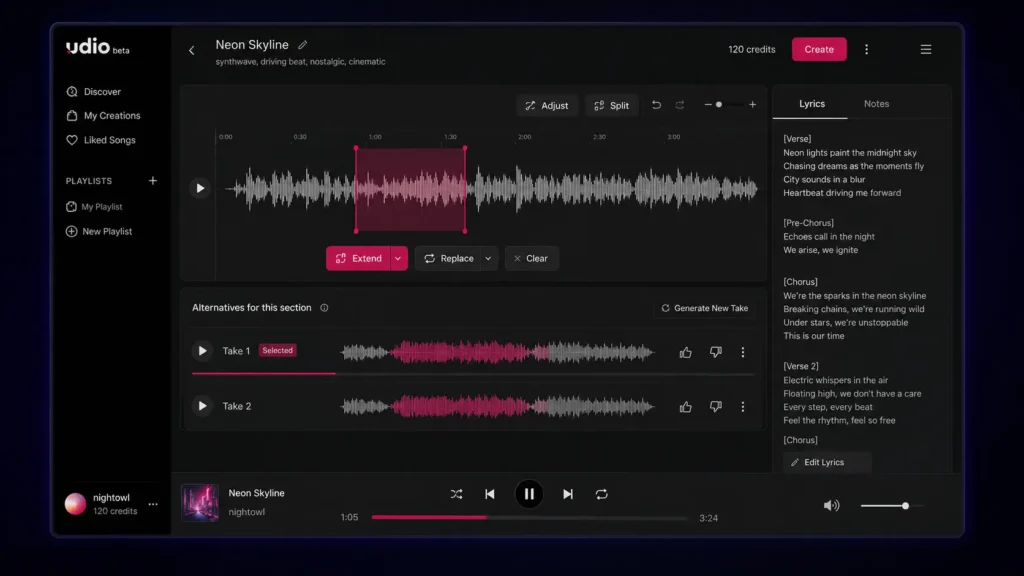
Udio takes a more exploratory approach to music generation. If your instinct after hearing a generated track is, “What happens if I change this part?”, Udio is worth a close look.
Its credit system provides a good example of how its workflow differs. Udio says that actions such as Create, Extend, Remix, Inpaint, or Edit generate two new songs. Two 32-second songs cost two credits, while two approximately 130-second songs cost four credits. Free accounts receive 10 daily credits plus an additional monthly limit of 100 credits.
That means you need to think about generation length and iteration. If you repeatedly create longer versions, your credits can disappear much faster than expected.
Udio’s subscription trial also gives access to features such as audio-guided generations, music and lyrics editing, Voice Control, and using existing songs as style references.
This makes Udio particularly interesting for musicians and producers who want to explore several directions rather than accept the first usable generation.
Pros
- Strong environment for experimenting with variations.
- Advanced creative and editing features are available through paid access.
Cons
- The credit system takes some time to understand.
- Downloads of audio, video, and stems are currently disabled according to Udio’s published update.
Pricing: Udio’s pricing page offers a Free tier, while its current subscription documentation lists Standard at $10/month and Pro at $30/month on monthly billing. Standard provides 2,400 monthly credits and Pro provides 6,000.
Suno vs Udio: Which AI Music Generator Is Better?
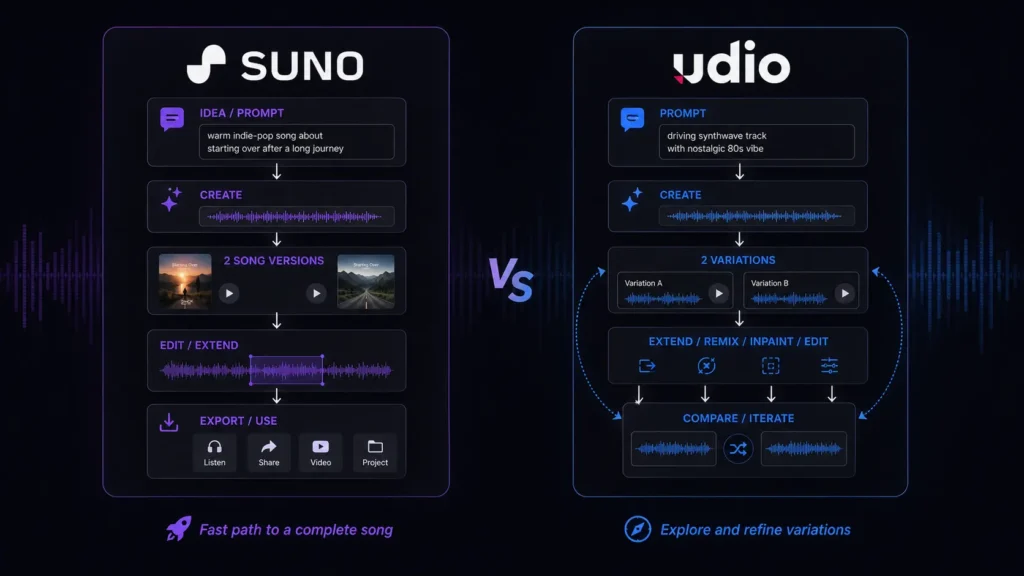
If you’re deciding between Suno and Udio, start with what you want to do after the song is generated.
Suno has the advantage if you want a complete song quickly. You can move from a basic concept to a structured track without spending much time learning the interface. This is particularly useful for beginners and content creators who care about speed. Udio is more appealing when the creation process itself is part of the experiment. Its generation system gives you multiple results and tools for extending or modifying ideas, making it a better match for users who enjoy exploring alternatives.
There is also a major difference in download availability. Suno announced that, beginning September 3, 2026, Free users receive up to seven lifetime trial downloads, Pro users receive 20 downloads per month, and Premier users receive 60 downloads per month. Premier subscribers using Suno Studio have no download limit under the announced policy.
Udio currently has the opposite problem: its published February 2026 update says that audio, video, and stem downloads are disabled. That difference is huge if you’re creating music for YouTube, client work, podcasts, advertisements, or any project where you need to move the audio into another application.
Our Quick Verdict
Choose Suno if you want: fast full-song creation, an easier starting point, and a clearer export workflow.
Choose Udio if you want: musical experimentation, variations, and a more iterative creative process.
AI Music Generators: Suno vs Udio Features Compared
| Feature | Suno | Udio |
| Free plan | Yes | Yes |
| Free allowance | 50 credits daily | 10 daily + 100 monthly |
| Main strength | Complete song generation | Experimentation and iteration |
| Paid entry | $8/month annually | $10/month monthly |
| Higher tier | $24/month annually | $30/month monthly |
| Audio upload | Yes | Yes |
| Advanced editing | Yes on paid plans | Available through subscription features |
| Stem separation | Paid plans | Downloads currently disabled |
| Commercial rights | Paid plans for new songs | Check current terms |
| Audio downloads | Plan-based limits | Currently disabled |
| Best for beginners | Excellent | Good |
| Best for experimentation | Very good | Excellent |
Suno’s current pricing information confirms 50 daily Free credits, 2,500 monthly Pro credits, 10,000 monthly Premier credits, audio uploads, advanced editing, and stem separation on paid plans.
Udio’s documentation confirms the current daily/monthly credit structure and the 2,400-credit Standard and 6,000-credit Pro limits.
Suno vs Udio for YouTube Creators
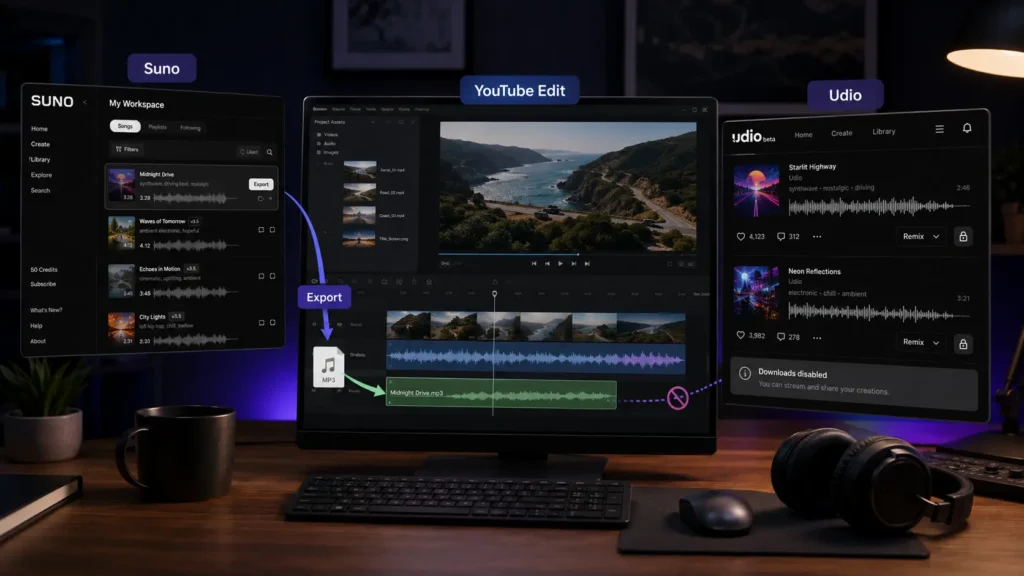
If you’re making YouTube videos, the winner isn’t necessarily the platform that produces your favorite song. You also need to consider whether you can download the track, what rights apply to the generation, and how easily the music fits into your editing workflow.
Suno currently has a practical advantage here because paid plans include commercial-use rights for new songs created under those plans, alongside plan-based download allowances.
Udio can still be useful for brainstorming background music or exploring different musical concepts, but its current download restriction creates an obvious problem when your editing workflow requires an audio file outside the platform.
Suno vs Udio for Musicians and Producers
Musicians may judge these platforms differently. If you want to quickly create a demo to communicate an idea, Suno’s straightforward generation process is useful. You can then use editing and stem-related features on eligible paid plans to work further with the result. Udio is attractive when you enjoy trying multiple versions of a musical idea. Its Create, Extend, Remix, Inpaint, and Edit workflow makes experimentation a central part of the experience. However, current download restrictions mean Udio is less convenient for a traditional production workflow where you need to take generated material into another application. So, for production flexibility today, Suno has the practical edge. For pure experimentation, Udio remains compelling.
Which AI Music Generator Should You Choose?
Suno and Udio are both capable AI Music Generators, but they are better suited to different creative workflows. Suno is the stronger all-around choice if you want quick complete songs, practical publishing options, and a relatively straightforward interface. Udio is the better fit if you enjoy experimenting with multiple generations and refining musical ideas. You don’t have to make the decision based on someone else’s favorite genre or workflow. Try the free options, use the same prompt on both platforms, and compare what comes back. As AI Music Generators continue developing, will the next wave give creators studio-level control without bringing back all the complexity they’re trying to avoid?
Frequently Asked Questions About AI Music Generators
Are AI Music Generators free?
Yes. Both Suno and Udio have free options. Suno currently gives Free users 50 credits that renew daily, while Udio provides 10 daily credits plus a 100-credit monthly allowance. Free access is useful for testing prompts and discovering which platform fits your style. However, don’t assume that free access automatically means commercial rights.
Can you commercially use songs made with Suno?
Suno states that its Free plan does not include commercial use, while eligible paid plans provide commercial-use rights for new songs made under those plans. If you’re creating music for a business, monetized channel, client, advertisement, or other commercial project, check the current Suno terms before publishing.
Which AI song generator is better for beginners?
Suno is generally the easier starting point because its core workflow is focused on quickly turning a description or lyrics into a complete song. Udio is also accessible, but its credit system and more iterative approach can require a little more experimentation. The best test is to give both platforms the same prompt and listen to the results. Your preferred genre may make the decision surprisingly easy.
Editorial disclosure: This article is an independent comparison based on platform documentation, published pricing, and practical evaluation criteria. Features and pricing may change.